Tuesday, November 25, 2014
SQL daily HealthCheck - My Reference
SQL daily Healthcheck
CPU - System CPU, SQL CPU, max CPU, avg CPU
SQL Log Size > 40%? -dbcc sqlperf(LOGSPACE)
SQL Connection - How many connection
SQL Active Connection
Blocking ? any blocking, what is the blocking header?
Deadlock? any deadlock?
Long Run Queries?
Any SQL Job fail?
Last IO Error?
SQL Error log that need attention
DB Size
Disk size
SQL 2005 - mirroring status
SQL 2012/SQL 2014/SQL 2016 : AGL Status

Wednesday, September 03, 2014
SQL Related error
SQL IO related error
1. check SQL Server error log
2. Check OS application error log
3. Check if all the drive on line and writeable
4. Try restart SQL Server if drive back online
OS Application Log
Event ID :833
Source : MSSQLSERVER
SQL Server has encountered <n> occurrence(s) of I/O requests taking longer than 15 seconds to complete on file [<full path of file>] in database [<database name.>] (<dbid>). The OS file handle is <file handle>. The offset of the latest long I/O is: <offset in hexadecimal>
SQL Server logs "Msg 833" when I/O delay problems occur
Event ID : 17053
SQLServerLogMgr::LogWriter: Operating system error 1167(The device is not connected.) encountered.
Event ID :3314
During undoing of a logged operation in database '%', an error occurred at log record ID (53970:95872:3). Typically, the specific failure is logged previously as an error in the Windows Event Log service.
Restore the database or file from a backup, or repair the database
Event ID :9001
The log for database '%' is not available. Check the event log for related error messages.
Resolve any errors and restart the database.
Event ID :3449
SQL Server must shut down in order to recover a database (database ID 2). The database is either a user database that could not be shut down or a system database. Restart SQL Server.
If the database fails to recover after another startup, repair or restore the database.
Event ID:823
The operating system returned error %ls to SQL Server during a %S_MSG at offset % in file '%ls'. Additional messages in the SQL Server error log and system event log may provide more detail. This is a severe system-level error condition that threatens database integrity and must be corrected immediately. Complete a full database consistency check (DBCC CHECKDB). This error can be caused by many factors; for more information, see SQL Server Books Online.
How to troubleshoot a Msg 823 error in SQL Server
Friday, August 29, 2014
Replication - sp_replcmds; Execution of filter stored procedure % failed.
Replication fail with
From Publisher
Replication Monitor
Replication - publisher to Distribution History, we have the below error :
The process could not execute 'sp_replcmds' on '. (Source: MSSQL_REPL, Error number: MSSQL_REPL20011)
Get help: http://help/MSSQL_REPL20011
Execution of filter stored procedure 1820181880 failed. See the SQL Server errorlog for more information. (Source: MSSQLServer, Error number: 18764)
Get help: http://help/18764
The Log-Scan Process failed to construct a replicated command from log sequence number (LSN) {00026ef8:00039201:0004}. Back up the publication database and contact Customer Support Services. (Source: MSSQLServer, Error number: 18805)
Get help: http://help/18805
The process could not execute 'sp_replcmds' on ''. (Source: MSSQL_REPL, Error number: MSSQL_REPL22037)
Get help: http://help/MSSQL_REPL22037
Publisher SQL Server - Error Log
No error
From Publisher, publisher database
run the below query. That might some error in replication filtering.
Select * from sysarticles where filter=1014603790
From SQLServer-> Replication->Local Publication->ReplicationName-> right click -> Properties-> Filter Rows
Check the condition as well
From Publisher
Replication Monitor
Replication - publisher to Distribution History, we have the below error :
The process could not execute 'sp_replcmds' on '
Get help: http://help/MSSQL_REPL20011
Execution of filter stored procedure 1820181880 failed. See the SQL Server errorlog for more information. (Source: MSSQLServer, Error number: 18764)
Get help: http://help/18764
The Log-Scan Process failed to construct a replicated command from log sequence number (LSN) {00026ef8:00039201:0004}. Back up the publication database and contact Customer Support Services. (Source: MSSQLServer, Error number: 18805)
Get help: http://help/18805
The process could not execute 'sp_replcmds' on '
Get help: http://help/MSSQL_REPL22037
Publisher SQL Server - Error Log
No error
From Publisher, publisher database
run the below query. That might some error in replication filtering.
Select * from sysarticles where filter=1014603790
From SQLServer-> Replication->Local Publication->ReplicationName-> right click -> Properties-> Filter Rows
Check the condition as well
Friday, August 15, 2014
Index best practice resource
201408
SQL Server Index Design Guide
SQL Server Best Practices Article - Published 2007
SQL Server 2008 Microsoft Certified Master Readiness Videos
Indexing Strategies
Index Analysis
Indexing Strategies Demonstration
Index Internals
Index Internals Demo
The Clustered Index Debate
why my index seek change to index scan when return result increase - will update
SQL 2012 non cluster column store index - will update
SQL 2014 cluster column store index - will update
SQL Server Index Design Guide
SQL Server Best Practices Article - Published 2007
SQL Server 2008 Microsoft Certified Master Readiness Videos
Indexing Strategies
Index Analysis
Indexing Strategies Demonstration
Index Internals
Index Internals Demo
The Clustered Index Debate
why my index seek change to index scan when return result increase - will update
SQL 2012 non cluster column store index - will update
SQL 2014 cluster column store index - will update
Tuesday, April 01, 2014
Tuesday, February 11, 2014
SQL 2012 - new function
SQL 2012 - new function
Conversion functions
• PARSE
• TRY_CONVERT
• TRY_PARSE
Date and time functions
• DATEFROMPARTS
• DATETIME2FROMPARTS
• DATETIMEFROMPARTS
• DATETIMEOFFSETFROMPARTS
• EOMONTH
• SMALLDATETIMEFROMPARTS
• TIMEFROMPARTS
Logical functions
• CHOOSE
• IIF
String functions
• CONCAT
• FORMAT
Reference : Programmability Enhancements (Database Engine)
Conversion functions
• PARSE
• TRY_CONVERT
• TRY_PARSE
Date and time functions
• DATEFROMPARTS
• DATETIME2FROMPARTS
• DATETIMEFROMPARTS
• DATETIMEOFFSETFROMPARTS
• EOMONTH
• SMALLDATETIMEFROMPARTS
• TIMEFROMPARTS
Logical functions
• CHOOSE
• IIF
String functions
• CONCAT
• FORMAT
Reference : Programmability Enhancements (Database Engine)
Sunday, August 04, 2013
70462 My Virtual server Spec
My computer has the below spec
Intel(R) Core (TM) i7-3612QM CPU @2.10GHZ (8 CPUs)
Memory : 8192MB RAM
Harddisk : 1 TB
OS : Windows 8 Pro 64-bit
My Virtual server setting
Domain Controller (DC) - 1 Virtual Processor, RAM 512, Virtual harddisk - size 127gb (It will expand when disk needed); I DC file size (3 gb)
SQL-A - 1 Virtual Processor, RAM 1 GB, Virtual Harddisk - auto expand as well (11 GB when checking)
SQL-B - 1 Virtual Processor, RAM 1 GB, Virtual Harddisk - auto expand as well (11 GB when checking)
SQL-C - 1 Virtual Processor, RAM 1 GB, Virtual Harddisk - auto expand as well (11 GB when checking)
SQL-D - 1 Virtual Processor, RAM 1 GB, Virtual Harddisk - auto expand as well (11 GB when checking)
Most of the time I only turn On DC, SQL-A, SQL-B and it more then enough for Testing.
Intel(R) Core (TM) i7-3612QM CPU @2.10GHZ (8 CPUs)
Memory : 8192MB RAM
Harddisk : 1 TB
OS : Windows 8 Pro 64-bit
My Virtual server setting
Domain Controller (DC) - 1 Virtual Processor, RAM 512, Virtual harddisk - size 127gb (It will expand when disk needed); I DC file size (3 gb)
SQL-A - 1 Virtual Processor, RAM 1 GB, Virtual Harddisk - auto expand as well (11 GB when checking)
SQL-B - 1 Virtual Processor, RAM 1 GB, Virtual Harddisk - auto expand as well (11 GB when checking)
SQL-C - 1 Virtual Processor, RAM 1 GB, Virtual Harddisk - auto expand as well (11 GB when checking)
SQL-D - 1 Virtual Processor, RAM 1 GB, Virtual Harddisk - auto expand as well (11 GB when checking)
Most of the time I only turn On DC, SQL-A, SQL-B and it more then enough for Testing.
Saturday, August 03, 2013
Quorum - Node and File Share Majority; Shutdown one node
Cluster service, Change Quorum to Node and File Share Majority; Shutdown one node
SQL-B is Primary Replicas

Shutdown SQL-B server, simulate Primary replicas SQL-B fail and see if the database will auto-failover to SQL-A
Cluster service - SQL-ALWAYSONCL.Contso.com still available with warning
SQL-B Node is down

Failover database Happen and SQL-A become Primary Replicas and Availability Database and Availability Group Listeners still can be access

SQL Availability Dashboard
- SQL-A Replicas is online
- SQL-B Replicas is offline

SQL Error log
Availability replica
'SECONDARY_NORMAL' to 'RESOLVING_NORMAL'; to 'PRIMARY_PENDING'; to 'PRIMARY_NORMAL'
Availability database
'SECONDARY' to 'RESOLVING'; Changed to 'PRIMARY'


Start SQL-B server
SQL-B node is back online
Current Host server still SQL-A and failover didn't happen

SQL Server

SQL Availability Dashboard

SQL Error Log (SQL-A)
SQL-B is Primary Replicas

Shutdown SQL-B server, simulate Primary replicas SQL-B fail and see if the database will auto-failover to SQL-A
Cluster service - SQL-ALWAYSONCL.Contso.com still available with warning
SQL-B Node is down

Failover database Happen and SQL-A become Primary Replicas and Availability Database and Availability Group Listeners still can be access
SQL Availability Dashboard
- SQL-A Replicas is online
- SQL-B Replicas is offline

SQL Error log
Availability replica
'SECONDARY_NORMAL' to 'RESOLVING_NORMAL'; to 'PRIMARY_PENDING'; to 'PRIMARY_NORMAL'
Availability database
'SECONDARY' to 'RESOLVING'; Changed to 'PRIMARY'


Start SQL-B server
SQL-B node is back online
Current Host server still SQL-A and failover didn't happen

SQL Server

SQL Availability Dashboard

SQL Error Log (SQL-A)
Change Quorum to Node and File Share Majority
70-462 Cluster service, Change Quorum to Node and File Share Majority
Can sustain failure of 1 node(s) if the file share witness remains available.
Can sustain failure of 0 Node(s) if the file share witness becomes unavailable
Compare to Default Quorum - Node Majority (not recommended for your current number of nodes
can sustain failures of 0 node(s)


Friday, August 02, 2013
2 nodes with Default Quorum (Node Majority) setup; Shutdown Secondary node
Cluster service, 2 nodes with Default Quorum (Node Majority) setup;
Shutdown server node with Secondary Replicas host (SQL-A); What will happen to SQLServer?

Shutdown Server node SQL-A where Secondary Replica sit.
After SQL-A server node shutdown,
- SQL-B SQLServer availability database testing in "Recovery Pending"
- AlwaysOn High Availability groups - ALWAYSONAG in "Resolving"
- Availability Replicas, SQL-B in "Resolving" mode
- Availability Group Listeners is missing

Availability Dashboard

SQL Error log

why this happen ? We expect the Sqlserver (SQL-B) for Primary should not affected if Secondary server down (SQL-A).
System Error log (SQL-B)

Remember in the cluster quorum configuration, we use default quorum with node majority whereby cluster service will sustain with 0 node down?
When on node down, cluster service can't sustain and SQL Availability database is down as well
2 nodes with Default Quorum (Node Majority) setup; Cluster service will sustain with 0 node down
Restart SQL-A server
SQLServer up

SQL Error Log


Shutdown server node with Secondary Replicas host (SQL-A); What will happen to SQLServer?

Shutdown Server node SQL-A where Secondary Replica sit.
After SQL-A server node shutdown,
- SQL-B SQLServer availability database testing in "Recovery Pending"
- AlwaysOn High Availability groups - ALWAYSONAG in "Resolving"
- Availability Replicas, SQL-B in "Resolving" mode
- Availability Group Listeners is missing

Availability Dashboard

SQL Error log

why this happen ? We expect the Sqlserver (SQL-B) for Primary should not affected if Secondary server down (SQL-A).
System Error log (SQL-B)

Remember in the cluster quorum configuration, we use default quorum with node majority whereby cluster service will sustain with 0 node down?
When on node down, cluster service can't sustain and SQL Availability database is down as well
2 nodes with Default Quorum (Node Majority) setup; Cluster service will sustain with 0 node down
Restart SQL-A server
SQLServer up

SQL Error Log


Thursday, August 01, 2013
Shutdown Primary sqlserver service; 2 nodes with Default Quorum (Node Majority) setup;
SQL Cluster : 2 nodes with Default Quorum (Node Majority) setup;
Testing with Shutdown Primary sqlserver service and verify if the database failover to secondary Availability Replicas and secondary availability promote to Primary Replicas
Availability Group Properties
Synchronous commit , Failover mode = Automatics
SQL-A primary, SQL-B secondary


Shutdown SQL-A, SQLService to simulate Primary SQLServer (SQL-A) fail and see if the database will auto-failover to SQL-B
SQLServer SQL-B become Primary Replicas; Auto-Failover is happen when SQL-A fail.
From Replicas, we can see SQL-A become secondary and down

SQL AG (alwaysonag)Dashboard

SQL-B error log


SQL-B:
Availability Replica status : SECONDARY_NORMAL -- RESOLVING_NORMAL -- PRIMARY_PENDING -- PRIMARY_NORMAL
Availability Group database status : SECONDARY - RESOLVING --PRIMARY
Bring back SQLService - SQL-A
SQL-B still act as Primary Availability Replicas
SQL-A is back online and show as Secondary Availability Replicas


SQL-B : SQL Error log

Testing with Shutdown Primary sqlserver service and verify if the database failover to secondary Availability Replicas and secondary availability promote to Primary Replicas
Availability Group Properties
Synchronous commit , Failover mode = Automatics
SQL-A primary, SQL-B secondary

Shutdown SQL-A, SQLService to simulate Primary SQLServer (SQL-A) fail and see if the database will auto-failover to SQL-B
SQLServer SQL-B become Primary Replicas; Auto-Failover is happen when SQL-A fail.
From Replicas, we can see SQL-A become secondary and down
SQL AG (alwaysonag)Dashboard

SQL-B error log


SQL-B:
Availability Replica status : SECONDARY_NORMAL -- RESOLVING_NORMAL -- PRIMARY_PENDING -- PRIMARY_NORMAL
Availability Group database status : SECONDARY - RESOLVING --PRIMARY
Bring back SQLService - SQL-A
SQL-B still act as Primary Availability Replicas
SQL-A is back online and show as Secondary Availability Replicas


SQL-B : SQL Error log
Shutdown secondary sqlserver service; 2 nodes with Default Quorum (Node Majority) setup;
Cluster service, 2 nodes (SQL-A,SQL-B) with default Quorum (Node Majority) setup;
SQL Server AG group (alwaysonag) with 2 node (SQL-A, SQL-B)
Test shutdown secondary sqlserver service (SQL-B), will it affect primary replicas (SQL-A)

Shutdown SQL-B, SQLService to simulate SQL-B SQLServer fail
From SQL-A, sql-error log:
- A connection timeout has occurred on a previously established connection to availability replica 'SQL-B' with 'DAF385F5-FE27-4A48-A5DC-7E21214498C7].
Either a networking or a firewall issue exists or the availability replica has transitioned to the resolving role
- AlwaysOn Availability Groups connection with secondary database terminated for primary database 'testing' on the availability replica with Replica ID : {daf385f5-fe27-4a48-a5dc-7e21214498c7}
SQL-A database still ONLINE, from
AlwaysOn High Availability --Availability Group -- AlwaysONAG -- Availability Replicas
we can see SQL-B replicas is down

SQL AG (alwaysonag) Dashboard

From Availability group state -- Critical --- Critical (1), Warning (3)

Some synchronous replicas are not synchronized
In this availability group, at least one synchronous replica is not currently synchronized. The replica synchronization state could be either SYNCHONIZING or NOT SYNCHRONIZING
Some availability replicas are not synchronizing data
In this availability group, at least one secondary replica has a NOT SYNCHRONIZING synchronization state and is not receiving data from the primary replica
Some availability replicas are disconnected
In this availability group, at least one secondary replica is not connected to the primary replica. The connected state is DISCONNECTED
Availability group is not ready for automatic failover
The availability group is not ready for automatic failover. The primary replica and a secondary replica are configured for automatic failover. however, the secondary replica is not ready for an automatic failover. Possibly the secondary replica is unavailable, or its data synchronization state is currently not in the SYNCHRONIZED synchronization state.
From Availability replica -- Critical (1), Warnings (1)

Start SQLService --SQL-B
From SQL-A, sql-error log:
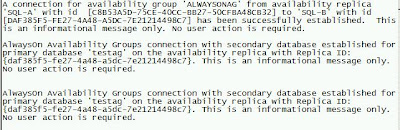
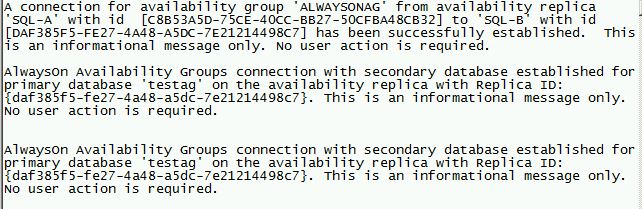
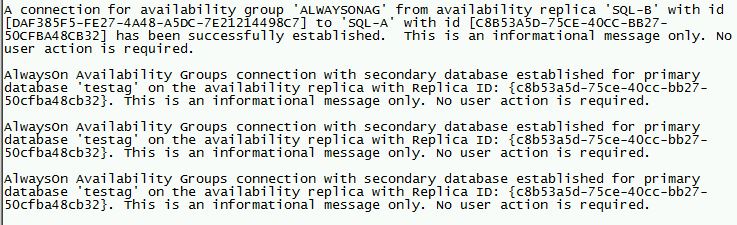
A connection for availability group 'ALWAYSONAG' from availability replica 'SQL-A' with id [C8B53A5D-75CE-40CC-BB27-50CFBA48CB32] to 'SQL-B' with id [DAF385F5-FE27-4A48-A5DC-7E21214498C7] has been successfully established. This is an informational message only. No user action is required.
AlwaysOn Availability Groups connection with secondary database established for primary database 'testag' on the availability replica with Replica ID :{DAF385F5-FE27-4A48-A5DC-7E21214498C7}. This is an informational message only. No user action is required
AlwaysON Availability Groups connection with secondary database established for primary database 'testag' on the availability replica with Replica ID :{DAF385F5-FE27-4A48-A5DC-7E21214498C7}. This is an informational message only. No user action is required
SQL-B back online in availability Replicas

SQL AG (alwaysonag) dashboard

SQL Server AG group (alwaysonag) with 2 node (SQL-A, SQL-B)
Test shutdown secondary sqlserver service (SQL-B), will it affect primary replicas (SQL-A)
Shutdown SQL-B, SQLService to simulate SQL-B SQLServer fail
From SQL-A, sql-error log:
- A connection timeout has occurred on a previously established connection to availability replica 'SQL-B' with 'DAF385F5-FE27-4A48-A5DC-7E21214498C7].
Either a networking or a firewall issue exists or the availability replica has transitioned to the resolving role
- AlwaysOn Availability Groups connection with secondary database terminated for primary database 'testing' on the availability replica with Replica ID : {daf385f5-fe27-4a48-a5dc-7e21214498c7}
SQL-A database still ONLINE, from
AlwaysOn High Availability --Availability Group -- AlwaysONAG -- Availability Replicas
we can see SQL-B replicas is down
SQL AG (alwaysonag) Dashboard

From Availability group state -- Critical --- Critical (1), Warning (3)
Some synchronous replicas are not synchronized
In this availability group, at least one synchronous replica is not currently synchronized. The replica synchronization state could be either SYNCHONIZING or NOT SYNCHRONIZING
Some availability replicas are not synchronizing data
In this availability group, at least one secondary replica has a NOT SYNCHRONIZING synchronization state and is not receiving data from the primary replica
Some availability replicas are disconnected
In this availability group, at least one secondary replica is not connected to the primary replica. The connected state is DISCONNECTED
Availability group is not ready for automatic failover
The availability group is not ready for automatic failover. The primary replica and a secondary replica are configured for automatic failover. however, the secondary replica is not ready for an automatic failover. Possibly the secondary replica is unavailable, or its data synchronization state is currently not in the SYNCHRONIZED synchronization state.
From Availability replica -- Critical (1), Warnings (1)
Start SQLService --SQL-B
From SQL-A, sql-error log:
A connection for availability group 'ALWAYSONAG' from availability replica 'SQL-A' with id [C8B53A5D-75CE-40CC-BB27-50CFBA48CB32] to 'SQL-B' with id [DAF385F5-FE27-4A48-A5DC-7E21214498C7] has been successfully established. This is an informational message only. No user action is required.
AlwaysOn Availability Groups connection with secondary database established for primary database 'testag' on the availability replica with Replica ID :{DAF385F5-FE27-4A48-A5DC-7E21214498C7}. This is an informational message only. No user action is required
AlwaysON Availability Groups connection with secondary database established for primary database 'testag' on the availability replica with Replica ID :{DAF385F5-FE27-4A48-A5DC-7E21214498C7}. This is an informational message only. No user action is required
SQL-B back online in availability Replicas
SQL AG (alwaysonag) dashboard

Subscribe to:
Posts (Atom)